



Digital Legacy at a Glance
- A digital legacy is everything you leave behind online: accounts, photos, passwords, subscriptions, and stored memories
- Most platforms lock or delete accounts after death — without a plan, your family may lose access permanently
- A will covers what you own, not how to access it — a digital legacy plan fills that gap
- Cryptocurrency is the highest-risk asset: without the private key, it cannot be recovered
- Appointing a digital executor and storing access details securely are the two most important steps
- A basic plan takes a few hours and does not require legal advice
A digital legacy is everything you leave behind online when you pass away — your accounts, your photos, your messages, your subscriptions, and the digital traces of a life well lived.
Most people have never thought about it that way. But if you have a smartphone, an email address, and a few online accounts, you already have a digital legacy. The question is whether your family will be able to access it, honour it, or even find it.
In this guide, we will look at what a digital legacy is, what it includes, and what you can do now to make things easier for the people you love.
What is a digital legacy?
A digital legacy is the full collection of your online accounts, files, and stored data — everything that exists about you in digital form.
It includes the practical things: your online banking, your email, your cloud storage, your subscriptions. It also includes the personal things: the photos on your phone, the messages in your inbox, the Facebook posts going back years.
After you pass away, none of this disappears automatically. Every platform handles it differently. Some lock the account immediately. Some allow a family member to request access with a death certificate. Some delete everything after a period of inactivity. Without any plan in place, your family may find themselves locked out of memories they cannot recover, or facing financial accounts they cannot close.
Your digital legacy is not separate from who you were. It is part of it.
Why does your digital legacy matter for your family?
Without a plan, your digital assets can become one of the most frustrating parts of settling an estate, even if the financial value is small.
Think about what your family would need to do after you passed away. They would need to cancel your subscriptions. Close your email. Decide what to do with your social media profiles. Access your cloud photos before the account locks. Find out whether you had any cryptocurrency stored somewhere.
Each of those tasks requires a password, a platform-specific process, or in some cases a legal application. Without any record from you, some of it may simply be impossible.
There is also an emotional dimension. The photos stored on your phone or in a cloud account are real memories. Families who cannot access them do not get a second chance. Once an account closes, that content is usually gone for good.
💡Read more: What happens to your online accounts when you die
A digital legacy plan does not have to be complicated. It just needs to exist.
What does a digital legacy include?
A digital legacy covers every part of your online life — from financial accounts with real monetary value to personal content that carries emotional significance.
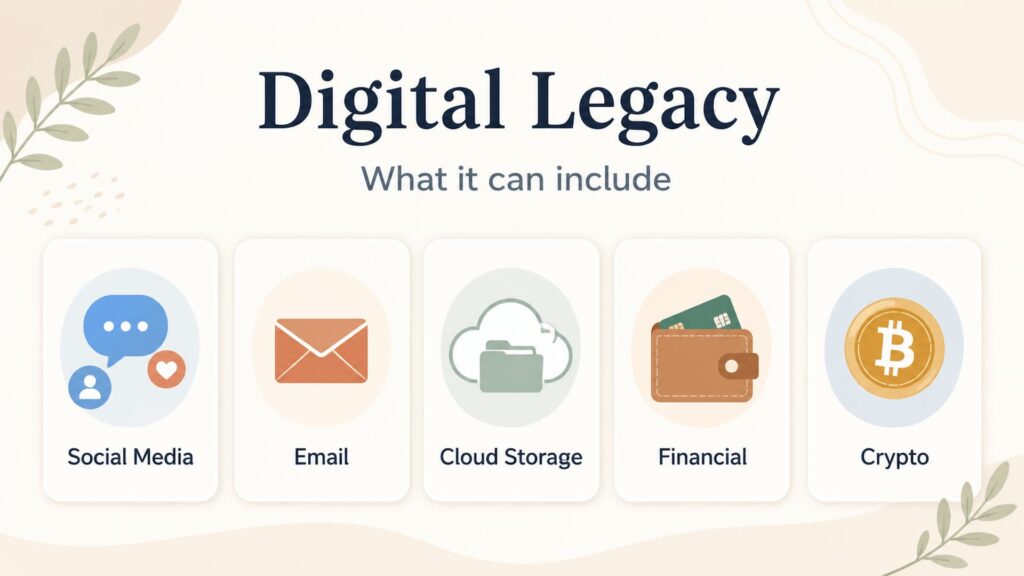
Here is a broad overview of what typically falls within it:
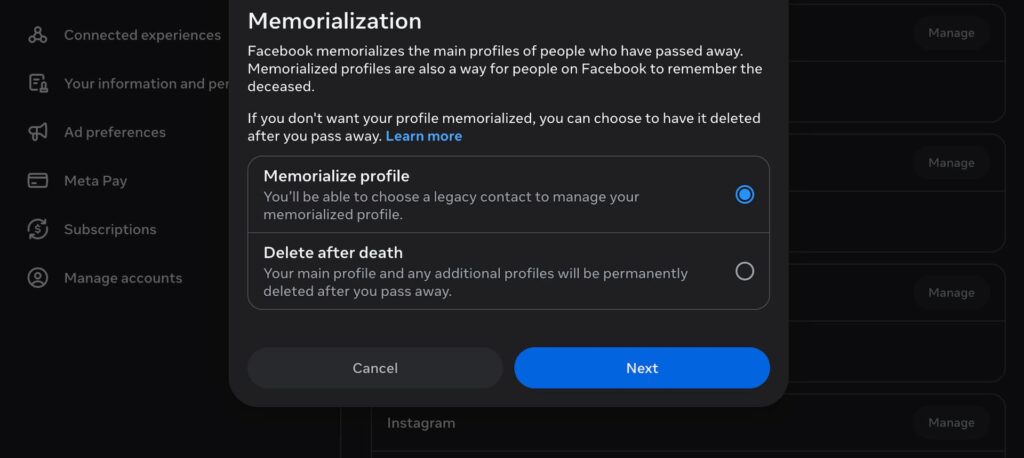
Online accounts and social media. Facebook, Instagram, LinkedIn, X, YouTube, and any other profile tied to your name. Platforms have different policies for accounts belonging to people who have passed away. Some allow memorialisation. Some require a formal request to close. A few will delete the account automatically after inactivity.
💡Here is what happens to your social media accounts when you die.
Email. Your inbox is one of the most important and sensitive parts of your digital life. It is often the key to resetting passwords on other accounts. Your family may need access to it to manage your estate.
Cloud storage and photos. Services like Google Photos, iCloud, Dropbox, and OneDrive may hold years of family photos, videos, and documents. Access is not automatic for family members and varies by service provider.
Financial accounts. Online banking, PayPal, investment platforms, and pension portals all fall within your digital legacy. These have real monetary value and need to be included in your estate.
Cryptocurrency. Bitcoin, Ethereum, and other digital currencies are owned through private keys, not through a bank. If your family does not have access to those keys, the assets cannot be recovered. There is no bank to call and no password reset process.
Subscriptions and ongoing payments. Streaming services, software licences, domain names, online storage — many of these continue charging after death unless they are actively cancelled.
Creative and professional content. Blogs, online shops, freelance profiles, digital artworks, and newsletters may have financial or personal value that your family would want to preserve or transfer.
What is not included in a digital legacy?
A digital legacy is specifically about your online and digital presence, but it is not the same as your estate or your will.
Physical devices like laptops and phones are part of your physical estate, even though they contain digital information. A traditional will covers property and financial assets, but it does not address the practicalities of who can access your accounts or what your passwords are.
Some people assume that listing digital assets in a will is enough. It is a good start, but a will is not a set of instructions. Your family still needs to know where to look, what accounts exist, and how to access them. That is what a digital legacy plan provides — the practical bridge between what you want and what your family can actually do.
How do you plan your digital legacy?
Digital legacy planning takes four steps: take stock, record access details, appoint someone to act, and leave clear instructions.
Step 1: Make a list of your accounts. Start with email, then banking, then social media, then subscriptions. Include any platform where you have stored content or money. You do not need to list everything at once — start with the accounts that matter most.
Step 2: Store your access details securely. This means usernames, passwords, and any two-factor authentication methods. Do not store passwords in a plain text document on your desktop. Use a password manager, a secure digital platform, or a sealed physical document stored somewhere your trusted contacts know to find.
Step 3: Appoint a digital executor. This is the person you trust to carry out your wishes for your online accounts. In some countries this can be formally named in a will or power of attorney. In others it is simply a matter of making your intentions clear and leaving the information they would need.
Step 4: Make your wishes clear. For each account, think about what you would want to happen. Some things you may want preserved. Others you may want closed or deleted. Social media is often the hardest call — some families find comfort in a memorialised profile, others prefer it gone. There is no right answer, but your family should not have to guess.
You do not need to do all of this at once. Even a partial record is better than none.
How Meolea helps
Nobody sits down one afternoon and thinks: Today I will sort out my digital legacy. It tends to be the thing that stays on the list (if there is a list in the first place).
But when families are left without any record of what existed, they feel it. What happened to the photos? Where were the passwords kept? Who was supposed to handle this?
Meolea gives you one place to put it all down. Your accounts, your access details, your wishes for what should happen to each one. Your family does not have to piece together a picture of your life from scattered sources. It is all there, ready for the people who need it, at the moment they need it.

Learn More About Digital Legacy
We have a lot of interesting digital legacy resources in our blog:


Frequently asked questions about Digital Legacy
What is a digital legacy?
A digital legacy is everything you leave behind online when you pass away — social media profiles, email accounts, cloud photos, online banking, subscriptions, and any other digital content tied to your name. Some of it has financial value. Most of it has personal value. All of it needs someone to take care of it.
What is included in a digital legacy?
A digital legacy includes online bank accounts, investment platforms, PayPal, cryptocurrency wallets, subscriptions, email inboxes, cloud photo libraries, social media profiles, and stored messages. Creative or professional content — blogs, online shops, digital artwork — can also form part of it. If it exists online and is connected to you, it is part of your digital legacy.
What happens to online accounts after death?
It depends on the platform, the account settings, and the documents your family can provide. Some platforms allow memorialisation, deletion, or limited access. Others require a death certificate, proof of authority, or court documents. That is why it helps to leave clear instructions before anything happens.
What happens to cryptocurrency when someone dies?
Cryptocurrency is owned through private keys, not through a bank. If your family does not have access to those keys, the assets cannot be recovered — there is no reset process and no institution to contact. Wallet details, private keys, and access instructions need to be stored securely and passed on to the right person in advance.
Can a will cover my digital assets?
A will can express your wishes for digital assets, but it cannot replace a digital legacy plan. A will tells people what you want. A digital legacy plan tells them how to access it. Your executor needs both to act effectively.
Should I write down my passwords for my family?
Yes — but store them securely. A plain text file on your desktop is not safe. A password manager, a secure platform, or a sealed physical document stored somewhere your trusted contacts know about are all practical options. The goal is to make sure the right person can find what they need when the time comes.
What is a digital executor, and do I need one?
A digital executor is the person you appoint to manage your online accounts and digital assets after you pass away. They carry out your wishes — closing accounts, preserving photos, transferring anything of value. In some countries the role can be formally named in a will or power of attorney. In others, it is a matter of making your intentions clear and leaving that person what they need to act.
What should happen to my social media accounts after death?
That is your decision to make, not your family’s. Some people want their profiles memorialised. Others want them deleted. Most major platforms let you record your preference in advance. If you have a strong feeling either way, make it known somewhere your trusted contacts will find it.
How do I make sure my family can access my photos?
Start by knowing where your photos are. Most people have them spread across a phone, a cloud service, and possibly an old device. Apple and Google both offer legacy access features for their cloud services. Make sure your trusted contacts know which services you use and can access them — once an account closes, the photos are usually gone for good.
How often should I update my digital legacy plan?
Once a year is a reasonable habit. Update it whenever you open a significant new account, acquire cryptocurrency, change devices, or change who you would trust to manage things. It does not need to be perfect. It just needs to be current.
Do I need legal advice for digital legacy planning?
Not to get started. A basic plan is something you can put together yourself. If you have significant financial assets online, cryptocurrency, or a business with a digital presence, a conversation with a legal professional is worth it. Rules around digital estate access vary by country, so local advice matters if the stakes are high.