


Let’s compare the physical vs digital emergency folder and see how they compare and what’s better for you
Most people who set up an emergency folder start with a physical one. A binder, a labelled envelope, a folder in a drawer. It feels tangible and immediate…and for a long time, it was the only option.
Today, there is a better way to do it without having to throw away the old paper one.
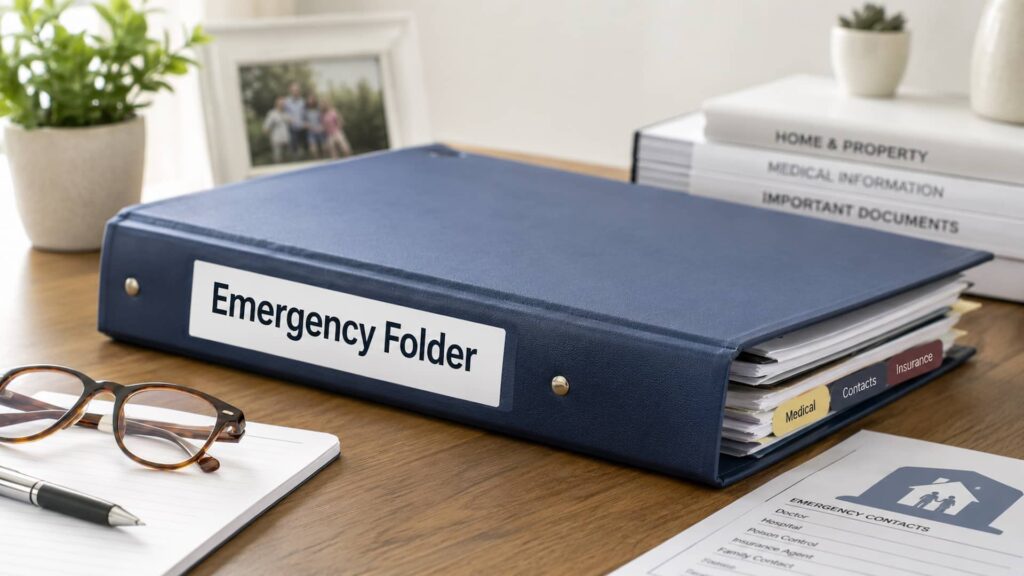
What is a physical emergency folder?
A physical emergency folder is a printed collection of your most important documents and information, kept in a known location at home, typically a binder, labelled folder, or envelope in a safe or filing drawer.
It is the traditional approach, and there is something reassuring about it. You can hand it to someone, point to it on a shelf, and know it is there. There is no login to remember, no device to unlock, and no app to navigate. If your partner or a family member lives with you and knows exactly where it is, they can get to it immediately without any friction.
For some documents, a physical copy is also still what institutions expect. A printed power of attorney or living will carries a weight that a screenshot on a phone does not.
What is a digital emergency folder?
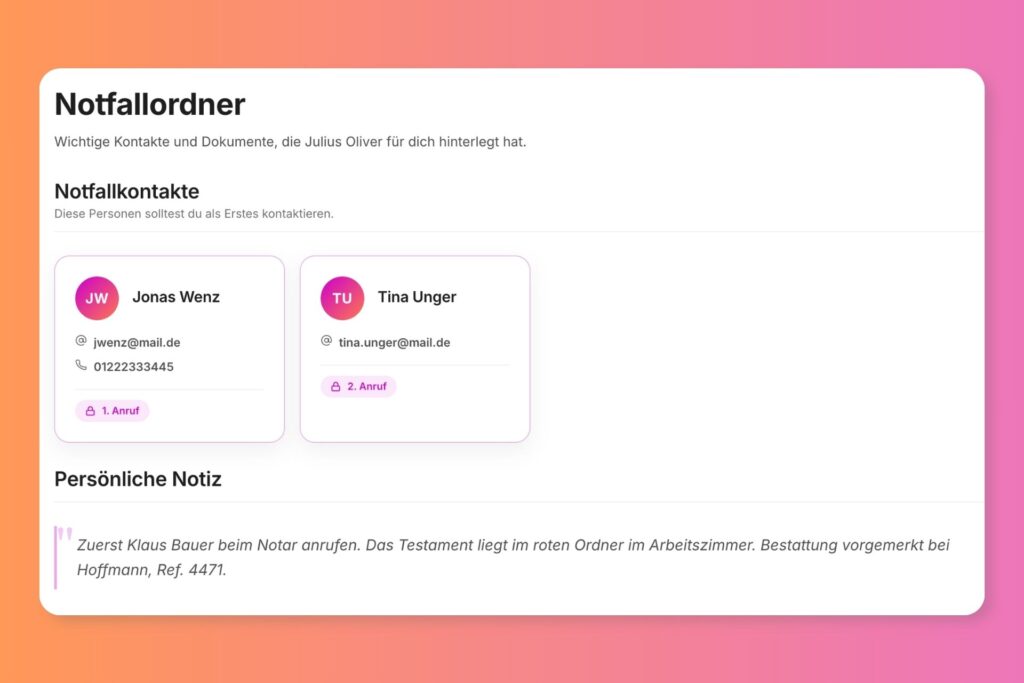
A digital emergency folder is the same information stored securely on a platform your trusted contacts can access from anywhere, on any device, without needing to be physically present.
The key difference is not the format but what it makes possible. Your daughter in another city can reach it. Your brother abroad can find what he needs. The person you have trusted with your affairs does not have to travel, wait, or search through drawers. It is there when they need it, wherever they are.
A good digital platform also lets you do things a printed folder simply cannot. You can set who has access to what. You can control when specific content becomes visible. You can update your information in seconds instead of reprinting pages. And you can store sensitive details like digital account instructions in a way that is far more secure than a sheet of paper in a drawer.
Where a physical folder works well
A physical folder is reliable and immediate for anyone who is nearby and knows where to look.
If you live with someone you trust and they know exactly where the folder is, it gives them what they need without any friction. It also works well as a backup alongside a digital system. Having printed copies of your most critical documents, a power of attorney, an advance directive, and key insurance contacts stored somewhere safe adds a layer of resilience even if you use a digital platform for everything else.
Where it works well for you:
- Your partner or a close family member lives with you and knows where it is
- You want a physical backup alongside your digital system
- You need certain documents available in printed form for legal or medical situations
💡 Here’s our guide to what should go in an emergency folder!
Where a physical folder falls short
The biggest limitation is that a physical folder only helps if someone can physically reach it, and in the moments it is actually needed, that is often not the case.
Think about when your family would most need it. A sudden hospitalisation. Something happening while you are travelling. A situation where the people who need to act are not at your home and cannot easily get there. In most of these scenarios, a folder in a drawer does not help.
There are practical limitations too. Every time something changes, whether that is your insurance, your medication, a new account, or a contact, you have to remember to update and reprint. Most people do not keep up with this. A folder that was accurate when you created it and quietly goes out of date is only a partial solution.
A physical folder also offers no privacy controls. Anyone who can reach it can read everything in it. If you want different people to have access to different things, or if some content should only be seen at the right time, a printed folder cannot do that.
Where a digital folder works well
A digital folder means the right people can find what they need at the right time, from wherever they are, without depending on anyone being in the right place.
That alone changes a lot. But the more significant advantage is what a purpose-built platform lets you do beyond storing files. With Meolea, you are not just uploading documents. You are building a structured handover. You can write personal letters to the people you love. You can record parts of your life story. You can set exactly who receives what and when, so your family gets both the practical information they need and something genuinely personal from you. A shared Google Drive or Dropbox folder cannot come close to that.
Updating information is also easy and quick. Changing a medication, adding a new policy, or updating a contact takes seconds. Your family always sees the current version, not whatever you printed two years ago.
Where it works well for you:
- The people who might need this information are not all in the same place as you
- You want to keep information current without reprinting anything
- You want different people to have access to different things
- You want to combine practical documents with personal letters, wishes, and life story content
Where a digital folder has limits
A digital folder is only as good as the platform it lives on, so the choice of where you store it matters.
Not all digital options are the same. Storing documents in a shared Google Drive gives your family access to files, but it gives them no guidance on what to do with them, no access controls, and no structure. It is a filing cabinet, not a handover.
It is also worth thinking about longevity. Whatever platform you choose needs to be accessible not just today but potentially years or decades from now. That is an argument for choosing something purpose-built for this rather than a general-purpose tool that might not exist or might not serve this need in the future.
And if some of your family members are less comfortable with technology, a digital system needs to be genuinely simple to navigate, especially at a moment when they may be under emotional strain.
So which should you use?
For most people, the answer is both: a small physical folder for the basics that someone at home can reach immediately, and a digital platform that carries everything else.
A physical folder with your most critical documents covers the immediate, local need. Think a power of attorney, an advance directive, key insurance contacts, and a note pointing to where your digital system lives. It is what someone at home can reach in minutes.
The digital platform carries everything else: your full document library, digital access instructions, personal wishes, your letters, your life story. It is what the people who matter most can reach from anywhere, at any time, with exactly the level of access you have decided to give them.
If you are only going to do one, do the digital. A folder only one person can reach is a partial solution. A well-structured platform reaches everyone who needs it, wherever they are.
Why Meolea is built for this
Meolea is not a document storage tool. It is a structured handover platform built for the moment when your family needs to manage things on your behalf.
Most digital tools treat an emergency folder or emergency binder like a filing cabinet: documents go in, documents come out. Meolea organises everything into a coherent structure and delivers the right content to the right people at the right time. That means your documents, your estate information, your digital access instructions, your personal wishes, and your personal messages, all in one place, structured so your family knows exactly what to do and where to look.
You decide who has access and what they can see. A trusted contact can reach your practical documents immediately. A personal letter to someone you love unlocks when the time is right. Nothing is left for your family to figure out on their own. The structure does that work for them.
That is the difference between a folder and a handover.
Frequently asked questions
Can I just use Google Drive or Dropbox?
You can store documents there, but it has real limitations for this purpose. There is no structure to guide your family through what they are looking at, no access controls to set different visibility for different people, and no way to deliver personal content at the right time. It also has no features for digital access instructions, personal wishes, or letters to loved ones. It stores files. It does not support a handover.
What happens to my digital folder if the platform shuts down?
It is a fair question and a reason to choose a purpose-built platform over a generic tool. With Meolea, your data is exportable and your trusted contacts are kept informed if anything changes. It is also worth keeping printed copies of your most critical documents as a backup regardless of which platform you use.
Is a digital emergency folder actually secure?
On a purpose-built platform, yes, and generally more secure than a physical folder. A document in a drawer can be read by anyone who finds it. A digital platform with access controls means only the people you have specifically authorised can see specific content. Sensitive details like digital account instructions are far harder to access accidentally or inappropriately.
Does my family need to be comfortable with technology to use it?
Not with the right platform. Meolea is designed to be straightforward for anyone to navigate, including people who are not particularly comfortable with technology and people who may be accessing it at an emotionally difficult time. The structure guides them through what they need to do and find.
Can I keep some things private until after I pass away?
Yes, and that is exactly what reveal settings are for. With Meolea, you can set different access rules for different content. A power of attorney can be accessible to a trusted contact immediately. A personal letter to a family member unlocks only at the moment you choose. You stay in control of what people see and when.Share